

After Effects Templates · August 20, 2022
Free After Effects Template: Transitions and Titles
Hi everyone, this template includes an After Effects project file that works from version CS4 onward. What type of project could it…
Hi everyone, this template includes an After Effects project file that works from version CS4 onward.
What type of project is this useful for?
It works as an intro for a YouTube channel, a promotional video, or an institutional video. Here are some of its features:
Duration: 1:06.
Resolution: 1920 x 1080.
Frame rate: 29.97 fps (HDTV 1080 29.97).
No plugins or add-ons required.
This template has the following structure:
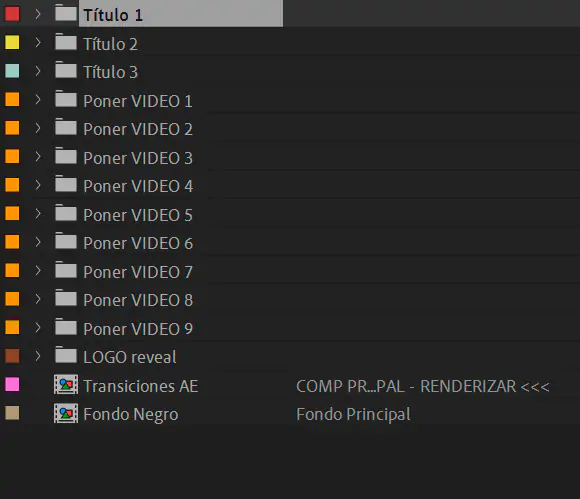
3 titles for the opening.
9 scenes with titles where you would place your videos.
Logo Reveal folder, with text for a slogan.
And «AE Transitions» is the main composition, the one you render once everything is edited and in order.
3 opening titles:
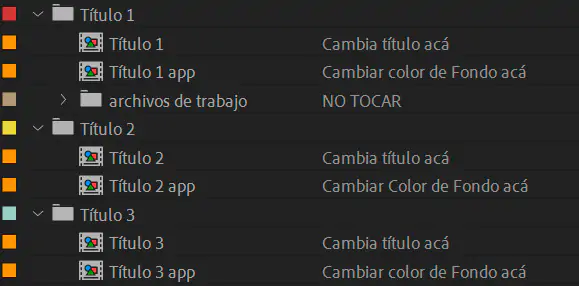
To change the three opening titles, use their corresponding folders: Title 1, Title 2, and Title 3. As you'll notice, I left comments on the right side as a guide, so follow along with them.
Scenes / compositions «Insert VIDEO»:

The 9 «Insert VIDEO» scenes all work exactly the same way. The «Insert VIDEO» folders 2, 3, 4, and 5 have a text layer. Just edit the wording of the text; these words will appear for a fraction of a second between one video sequence and the next. It will be easier to understand once you open the main composition «AE Transitions» and follow along on the timeline.
Composition «LOGO reveal»:
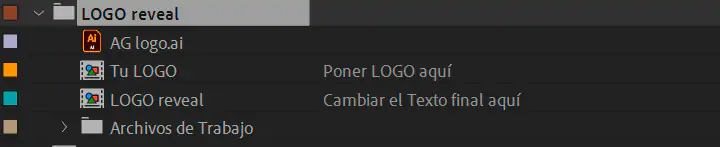
The «LOGO reveal» composition lets you rewrite the final text, adjust its
position, and change its font and color.
Export / rendering:
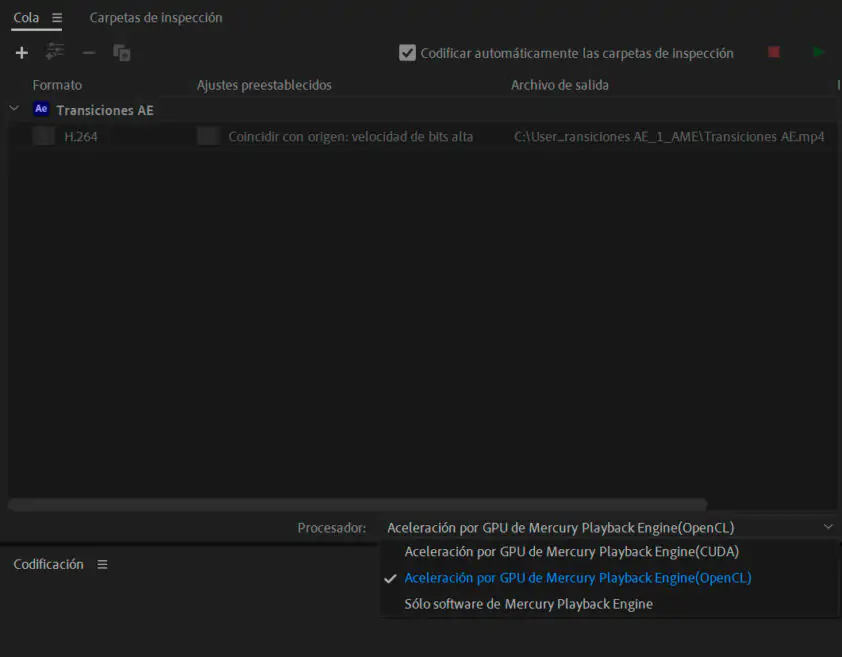
If the rendering process is slow or takes a long time, the main composition «AE Transitions» can be rendered using «OpenGL Render» or «OpenCL».
Download link: https://bit.ly/TransicionesyTitulosAfterEffects
If you have any questions, let me know in the comments. Thanks, and see you soon.